Showing posts with label software development. Show all posts

Friday, August 1, 2008

Structure Inlining with .Net 3.5 SP1

I just stumbled on a fascinating performance improvement coming up in .Net 3.5 SP1.

When working with value types (structs) the JIT currently hits the stack each time you access a field - which is quite inefficient.

In SP1 they've added an algorithm called "value type scalar replacement"; which intuitively does exactly what it sounds like!

Take the following code:
static int MyMethod1(int v)
{
Point point; // gets a stack location.

// All 3 field accesses involve stack operations.
point.x = v;
point.y = v * 2;

return point.x;
}

The JIT will replace the value type (Point is a struct) with scalars:
static int MyMethod2(int v)
{
int x; int y; // Was “struct point;”. Now replaced by x and y.
x = v;
y = v * 2;

return x;
}

After the JIT inlines the structure, it can optimise the routine by placing the integers on the register rather than the stack.

What's the difference?

We are roughly looking at a 10x improvement! (Using a quick and dodgy test app)

This is fantastic, especially when dealing with lots of structs like points and rectangles etc.

What's the catch?

This isn't magically going to work on all your value types; there are strict guidelines when this replacement can occur:

- The value type must have no more than 4 fields

- These fields must be value types, or object references

- You must use [StructLayout(LayoutKind.Sequential)], which is the default anyhow.


There some other catches, but if you are creating complicated structures, you really should think about making them a class.

More Improvements

This is just a snippet of the algorithm, whereas the original article explains it in much more detail.

BTW: This is in the CLR, so all .Net languages benefit! And of course this includes F# and FParsec.

Cheers to SP1!

Wednesday, July 23, 2008

Advanced Domain Model queries using Linq - Part IV

This should be the last part in my series of posts.  In this part I'll cover support for parameters via method calls.

Parameter Support (Contrived Example)

Continuing the Library example, how would you query the books that will be overdue next week?

Well you could write the following:
var nextWeek = from a in repository.AsQueryable()
where a.CheckOverdue(DateTime.Today.AddDays(7))
select a;

How it works

The CheckOverdue Property simply returns a Lambda Expression as it's result.
class CheckOverdueProperty : QueryProperty<Loan, Func<DateTime, bool>>
{
public CheckOverdueProperty()
: base(x => y => (x.DateReturned == null && (y - x.DateBorrowed).TotalDays > x.LoanPeriod))
{ }
}

I've modified the expression parsing routines to support parameters (including multiple) and even nested lambdas!

Nested Lambdas?

I can't really see the need for it, but hey... why not! Curry anyone? :)
class MyProperty : QueryProperty<Loan, Func<int, Func<int, Func<int, double>>>>
{
public MyProperty()
: base(a => x => y => z => x + y + z + a.LoanPeriod)
{ }
}

So how would you call such a monstrosity?
var test = from a in repository.AsQueryable()
select a.MyProperty(5)(4)(3);

But check out the SQL! Great work Linq to Sql guys!
SELECT (CONVERT(Float,5 + 4 + 3)) + [t0].[LoanPeriod] AS [value]
FROM [dbo].[Loan] AS [t0]

Declaration Syntax

If you're particularly astute, you'll have noticed that my syntax for declaring a QueryProperty has changed slightly since the last post.

Here's the class declaration of the CheckOverdue Property:
[QueryProperty(typeof(CheckOverdueProperty))]
public bool CheckOverdue(DateTime date)
{
return CheckOverdueProperty.GetValue<CheckOverdueProperty>(this)(date);
}

Although this is a method, you can still define it as a property (notice that I return a lambda expression).
[QueryProperty(typeof(CheckOverdueProperty))]
public Func<DateTime, bool> CheckOverdue
{
get { return CheckOverdueProperty.GetValue<CheckOverdueProperty>(this); }
}

So What's Changed?

Well, QueryProperties no longer derive from an Attribute class.  Although it worked, I felt dirty about it.

I borrowed from Fredrik's syntax and pass the property type to the Attribute - much cleaner.

Since I'm no longer defining the QueryProperty as static, I had to change the way it is referenced by the class property.

The code above shows my attempt at making this easy, yet efficient - but it's up to you how to implement it.  E.g. this would work well too:
[QueryProperty(typeof(CheckOverdueProperty))]
public Func<DateTime, bool> CheckOverdue
{
get { return CheckOverdueProperty.Value(this); }
}

private static CheckOverdueProperty CheckOverdueProperty = new CheckOverdueProperty();

If you can think of better ways I'd love to hear it! 

Expression Parser

Since I posted the parser code in my last post, here it is again - and my has it grown!
class QueryPropertyEvaluator : ExpressionVisitor
{
// Basic member access support for QueryProperties
protected override Expression VisitMemberAccess(MemberExpression m)
{
if (m.Expression != null)
{
var property = GetProperty(m.Member);

if (property != null)
return Expression.Invoke(property.GetExpression(), m.Expression);
}

return base.VisitMemberAccess(m);
}

// Support method call abstractions over QueryProperties
// Assumes method call has same parameters (in order!) as QueryProperty
// Also supports static methods, as long as first parameter is the class object
protected override Expression VisitMethodCall(MethodCallExpression m)
{
Expression obj = this.Visit(m.Object);
IEnumerable<Expression> args = this.VisitExpressionList(m.Arguments);

var property = GetProperty(m.Method);

if (property != null)
{
if (obj != null)
{
// Method on QueryProperty class
return VisitLambdaInvocation(Expression.Invoke(property.GetExpression(), obj), args);
}
else
{
// Assumes static method where first parameter is object instance
return VisitLambdaInvocation(Expression.Invoke(property.GetExpression(), args.First()), args.Skip(1));
}
}

if (obj != m.Object || args != m.Arguments)
return Expression.Call(obj, m.Method, args);

return m;
}

// Support lambda expressions within QueryProperties
protected override Expression VisitInvocation(InvocationExpression iv)
{
IEnumerable<Expression> args = this.VisitExpressionList(iv.Arguments);
Expression expr = this.Visit(iv.Expression);

// Rewrite InvokeExpression - Folds out inner lambda
if (expr.NodeType == ExpressionType.Invoke)
return VisitLambdaInvocation((InvocationExpression)expr, args);

if (args != iv.Arguments || expr != iv.Expression)
return Expression.Invoke(expr, args);

return iv;
}


// Recursively 'flattens' the lambda invocation expressions
// Rewrites the nested lambda expression tree to work with Linq to SQL
protected Expression VisitLambdaInvocation(Expression expression, IEnumerable<Expression> args)
{
if (expression.NodeType != ExpressionType.Invoke)
return Expression.Invoke(expression, args);

var invoke = (InvocationExpression)expression;
var lambda = (LambdaExpression)invoke.Expression;

// Func<TClass, Func<Arg0, Arg1..., Result>> -> Func<TClass, Result>
var arguments = lambda.Type.GetGenericArguments().ToArray();
arguments[arguments.Length - 1] = arguments.Last().GetGenericArguments().Last();

return Expression.Invoke(
Expression.Lambda(
lambda.Type.GetGenericTypeDefinition().MakeGenericType(arguments),
VisitLambdaInvocation(lambda.Body, args),
lambda.Parameters),
invoke.Arguments);
}

#region MemberInfo caching

private Dictionary<MemberInfo, QueryProperty> lookup = new Dictionary<MemberInfo, QueryProperty>();

// This is not strictly needed, but adds a performance improvement.
// Feel free to remove this code if you think memory is more important
protected QueryProperty GetProperty(MemberInfo info)
{
QueryProperty result = null;

if (lookup.TryGetValue(info, out result) == false)
{
var attribute = Attribute.GetCustomAttribute(info, typeof(QueryPropertyAttribute)) as QueryPropertyAttribute;

if (attribute != null)
lookup.Add(info, result = attribute.GetProperty());
}

return result;
}

#endregion
}

Conclusion

As usual, here is the sample code for you to experiment with yourself.

I hope you've enjoyed this series, I certainly have. 


If I get the chance I might write a post explaining the expression parsing in detail, or the compiled queries - but till then...

Cheers!

Thursday, July 17, 2008

Advanced Domain Model queries using Linq - Part III

I didn't intend to post so quickly after my last post, but some comments from Nick motivated me to try something different.

So what's changed?

Not much.  Defining your query properties has changed (and obviously some implementation details).  All the linq syntax stuff stays the same.

Here's the same Loan class, rewritten:
class Loan
{
[OverdueFee]
public decimal OverdueFee
{
get { return OverdueFeeAttribute.Property.GetValue(this); }
}

[IsOverdue]
public bool IsOverdue
{
get { return IsOverdueAttribute.Property.GetValue(this); }
}

[DaysOverdue]
public double DaysOverdue
{
get { return DaysOverdueAttribute.Property.GetValue(this); }
}
}

And here's our query property definition:
class IsOverdueAttribute : QueryPropertyAttribute
{
public IsOverdueAttribute() : base(Property) { }

public static readonly QueryProperty<Loan, bool> Property = new QueryProperty<Loan,bool>(
x => (x.DateReturned == null && (DateTime.Now - x.DateBorrowed).TotalDays > x.LoanPeriod));
}

class OverdueFeeAttribute : QueryPropertyAttribute
{
public OverdueFeeAttribute() : base(Property) { }

public static readonly QueryProperty<Loan, decimal> Property = new QueryProperty<Loan, decimal>(
x => (decimal)(x.DaysOverdue * 0.45));
}

class DaysOverdueAttribute : QueryPropertyAttribute
{
public DaysOverdueAttribute() : base(Property) { }

public static readonly QueryProperty<Loan, double> Property = new QueryProperty<Loan, double>(
x => x.IsOverdue ? (DateTime.Now - x.DateBorrowed).TotalDays - x.LoanPeriod : 0);
}

What's the difference?

Well, depending on your programming tastes, it's cleaner.  We've reduced some of the tight coupling, and we now have the ability to spread the logic (which is more suitable in certain situations).

And if you're wondering why I seem to have an obsession with static members, it's mainly due to performance - and truth be told, I'm pre-optimizing here.  Generally I'm not such a fan... honest!

Performance anxiety

Speaking of performance, using Attributes has a penalty.  According to my tests, it's roughly 30% slower to parse the expression.  

This might sound like a lot, but we're talking about 0.37 vs 0.28 milliseconds per query here - and once you consider the database retrieval time... it's really nothing.

I don't even parse the expression tree with linq to objects - so no impact at all!

Bonus code (Expression Parser)

Here's my expression parsing code, I know you want to see it:
class QueryPropertyEvaluator : ExpressionVisitor
{
protected override Expression VisitMemberAccess(MemberExpression m)
{
if (m.Expression != null)
{
var attribute = Attribute.GetCustomAttribute(m.Member, typeof(QueryPropertyAttribute)) as QueryPropertyAttribute;

if (attribute != null)
return Expression.Invoke(attribute.Property.GetExpression(), m.Expression);
}

return base.VisitMemberAccess(m);
}
}

Beautiful isn't it!

Feedback please

If you've been following this little series, I'd love to hear what you think of the new syntax.

I'm still hesitant, since this new syntax results in more code - but I think it's a cleaner approach.


As usual, you can find the sample app here - enjoy!

Wednesday, July 16, 2008

Advanced Domain Model queries using Linq - Part II

Since my previous post I've rewritten the internals to make use of LinqKit - a fantastic lightweight project.

See the changes

I took my rewrite as an opportunity to support the full query syntax:
var overdue = from a in repository.AsQueryable()
where a.IsOverdue == true
select a.OverdueFee;

var days = repository.AsQueryable()
.Where(x => x.IsOverdue)
.Select(x => x.DaysOverdue);

and added easy support for compiled queries (currently only supporting linq to objects and linq to sql):
var query = repository.Compile(
source => from x in source
where x.IsOverdue == true
select x.OverdueFee);

var results = repository.Execute(query);

I've also optimized the expression parsing (speed difference is negligible to normal queries), and I tweaked the QueryProperty construction:
#region IsOverdue Property

public bool IsOverdue
{
get { return IsOverdueProperty.GetValue(this); }
}

static public readonly QueryProperty<Loan, bool> IsOverdueProperty = new QueryProperty<Loan, bool>(
x => x.IsOverdue,
x => x.DateReturned == null && (DateTime.Now - x.DateBorrowed).TotalDays > x.LoanPeriod);

#endregion

The big change here is that I've added an extra parameter; a reference back to the mapping property.

I'd really like a memberof(Loan.IsOverdue) keyword style syntax in C#, but since there's not, I use this expression to grab the MemberInfo - which is used in the expression parser.

It's a slight DRY drawback, but it's a faster way than using reflection (and avoids an ugly string lookup) - and it's much faster than using attributes.

Get the code

Most of the big changes are all implementation specific, so be sure to check out the sample app.

Please let me know what you think!

BTW: Joseph, I made some architectural changes to the LinqKit.ExpandableQuery stuff.  Externally it behaves exactly the same, but it now lets me reuse a lot more code.

It's light on the comments, but I'm hoping my next post will explain myself.


ed: Continue to Part III

Tuesday, July 15, 2008

Ctrl . - My favourite shortcut

I'm a huge keyboard shortcut fan (for a windows developer)... for common tasks it's just annoying to have to grab the mouse.

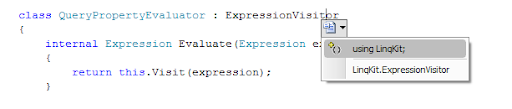
For me, one such task was the rename / resolve support in Visual Studio:unresolved 
Using the mouse to bring up this dialog has got to be the most frustrating task in Visual Studio.

So much so, I refused to use it; instead opting for the right-click 'resolve' approach, or even manually typing in namespaces.

resolve

A few months ago, I stumbled on "Ctrl ." and to my delight ended my coding frustration.

I'm now more productive, less frustrated... do yourself a favour and give "Ctrl ." a go!

Monday, July 7, 2008

Advanced Domain Model queries using Linq

I read a fantastic blog article from Nick Blumhardt yesterday which kicked off some crazy ideas in my head.

The Problem

With the following class, I can query on IsOverdue using linq... but not using linq to sql (or linq to nhibernate).  How frustrating!
class Loan
{
// Member details omitted
public bool IsOverdue
{
get
{
return DateReturned == null &&
(DateTime.Now - DateBorrowed).TotalDays > LoanPeriod;
}
}
}

This is a fundamental issue in relational to object mapping systems, but we can fix it using some linq trickery.

Disclaimer

I think my solution is very cool, but I'm not sure how acceptable it is for a production environment. 

Please leave feedback if you like it / makes you want to vomit.

The change

Let's modify the Loan class implementation of IsOverdue:
#region IsOverdue Property

public bool IsOverdue
{
get { return IsOverdueProperty.GetValue(this); }
}

static public readonly QueryProperty<Loan, bool> IsOverdueProperty = QueryProperty.Register<Loan, bool>(
x => x.DateReturned == null && (DateTime.Now - x.DateBorrowed).TotalDays > x.LoanPeriod);

#endregion

Here we move the logic for IsOverdue into a separate QueryProperty member that takes care of the nasty details.

Hopefully you'll agree that the code is still fairly readable, and encapsulated with all the logic still bundled inside the Loan class.

By moving this logic into a lambda expression, we can now write queries for both database and object collections! e.g
// Database Access
using (var db = new RepositoryDatabase<Loan>())
var overdue = db.Where(y => y.IsOverdue && y.LoanPeriod == 5);

// Collection Access
using (var list = new RepositoryCollection<Loan>())
var overdue = list.Where(y => y.IsOverdue && y.LoanPeriod == 5);

More Goodness

When coding these query properties it can be very handy to reference other query properties. e.g.
#region DaysOverdue Property

public double DaysOverdue
{
get { return DaysOverdueProperty.GetValue(this); }
}

static public readonly QueryProperty<Loan, double> DaysOverdueProperty = QueryProperty.Register<Loan, double>(
x => x.IsOverdue ? (DateTime.Now - x.DateBorrowed).TotalDays - x.LoanPeriod : 0);

#endregion

#region OverdueFee Property

public decimal OverdueFee
{
get { return OverdueFeeProperty.GetValue(this); }
}

static public readonly QueryProperty<Loan, decimal> OverdueFeeProperty = QueryProperty.Register<Loan, decimal>(
x => (decimal)(x.DaysOverdue * 0.45));

#endregion

This allows us to create very complicated queries in a very simple manner.

The Catch

Too good to be true?  You're right; there's a devil in the details. 

You might have picked it up already - how does linq interpret my query property correctly?

By modifying the expression tree!

My Repository class implements the Where() and translates the expression; replacing any QueryProperty references with a call to the actual lambda expression.

The really ugly part is that it's a string based lookup ie. "<name>Property".  Though I also check the type to be extra safe.

It's really not a bad trade off, considering it's very similar to how WPF DependencyProperty's work.

The Conclusion

This is a really easy and seamless way to implement custom queryable properties in your domain objects.

I've only touched on a fraction of the possibilities with this technique, but it shows the power and flexibility of linq.

Make sure you check out the sample application for the full code.


ed: Continue to Part II

Monday, June 23, 2008

UI - You don't know how much you suck

I made a small mistake in my last post - instead of 'do what you want' what I meant to say was:

Hire a damn graphic designer and buy some icons!

This is a subtle difference, but the delusion of competency is unfortunately common.m-diy-disaster

Like your home handyman disasters, the DYI attitude for user interfaces can cost you big time.

However IT departments are usually too cheap, and some developer ego's are too big to realize that they can't do everything... thus UI abominations are created everyday.


UI development is hard, harder than most people think. 

The UI layer is where everything comes together, and as a result it's here you find all the issues with the underlying architecture.


If you're a UI developer - you suck, so make sure you check out the UI guidelines for your dev system (Microsoft, Apple, Gnome or KDE).

If you're not a UI developer; shut up, fix your code and give the UI guys a break.

Oh, and good luck!

Disclaimer: I've done both jobs, so I suck twice as much.

Tuesday, April 22, 2008

UI - You can't please everyone

Although it's difficult to create good UI, it doesn't mean that bad UI is easy - in fact some people go to great lengths to produce bad UI.

That said, good UI simply boils down to:

Intuitive, Pretty and Performant - in a combination that targets the intended user.

eg. A programmer is going to prefer performance over pretty, and a hairdresser might prefer pretty over intuitive... but you still need all three for a good user experience.

If you don't have access to your user (and that's generally the case), just pretend that you are the user.

If you wouldn't use your own app; that's a good sign of bad UI.

In the end, you can't please everyone - so please yourself, then at least one person is happy.

Tuesday, December 4, 2007

DataModel-View-ViewModel

WPF changed the rules for UI best practice, but it didn't update the book.

With all the new and improved DataBinding and Command features - a new set of patterns have emerged, including a recommended pattern called DataModel-View-ViewModel (DM-V-VM).

At a conceptual level this pattern looks fantastic – but there are issues... namely it doesn’t work for non-trivial scenarios.

Rather than a boring high level rant, I'll use boring examples to explain why:

Cannot support events

The recommended approach is to use DataTemplates and Commands - but DataTempates cannot handle events, and the command system is not extensive enough (eg. doesn't support mouse clicks).

Supporting events requires using code behind; which means using at least a UserControl base class.

No Keyboard support for Standard Commands

Dan Crevier and John Gossman don't mention the standard Commands, instead opting to create their own – not because it's better practice, but it's easier to demonstrate.

Their suggested approach uses CommandParameter bindings on the buttons, which only works with OnClick (i.e when the shortcut Key is pressed "null" is passed through).

Since the InputBindings.KeyBinding.CommandParameter does not support DataBinding - supporting the keyboard (and still using commands) means we can't use CommandParameters.

UI support breaks abstraction

Say that we want to delete all the selected items from a list; this means storing a list of items in the ViewModel (since we not using CommandParameters), which we then bind from our View.

But this is purely for UI logic rather than business logic!

Complicated scenarios might need multiple properties - and since the binding is not clearly defined, it will introduce bugs.

The abstraction is now broken, so let's just move our ViewModel into the code behind.

Unit testing the UI logic now not easy

No kidding, that's why we initially moved the code into the ViewModel!

All of the real logic should be implemented in the data bound objects or by a class separate to the UI. These classes are unit testable, but the UI integration is not.

Aren't we back to where we started?

Not quite, WPF's new style allows us to develop a cleaner system than the days of WinForms and MFC - and while there's not a published best practice for it, it doesn't mean that it doesn't exist.


UI programming is hard, especially since it looks so easy.

Tuesday, October 30, 2007

F# is so Passé

Lately I've been trying to juggle learning a mix of technology. WPF, .net 3.5 (linq), maths, F#... Sometimes I feel like I have Internet Multitasking Syndrome.

Although Internet Multitasking Syndrome is not a known medical disorder (I just made it up five minutes ago), it is not uncommon for people to become so immersed in their online activities that their cognitive abilities wane.

After hours starring at a screen, flipping between web pages and information outlets, people can develop a feeling of anxiety, stress and a decrease in mental performance, said John Suler, author of The Psychology of Cyberspace.

"There are limits to how much information one person can process," he continued.


I started learning about a little known language called F# a couple of months ago, where I read most of the Foundations of F# book over a rather intense week.

Since then I've dropped the ball... there's just too much to learn within our software field.

I'm keen to get back into it, as F#'s functional principles are very appealing to me. There's a sense of power and elitism playing with such a language. It's close to it's mathematical roots, and has the potential to create highly concurrent systems.

These things are addictive for software engineers. Power and elitism - it's why C/C++ are so popular and why VB programmers get no respect.


Now that F# is an official MS language, it's becoming quite popular. While this is fantastic for the language - a small selfish part of me wants to keep it for myself. I don't want it to become 'common' and spoilt by countless bad programmers writing spaghetti code.

Unfortunately this also includes me - so to avoid becoming an Italian Chef, I'm planning to read Structure and Interpretation of Computer Programs during my holidays. I've heard this is a classic book covering functional programming (in scheme).

Wish me luck!

Wednesday, October 10, 2007

Death Trap

When I first started riding my motorbike I became much more aware of my environment... and not in a pleasant way. After coming out of my metal cocoon (car), everything became a threat and I felt fully exposed to the world.

It's with good reason too; I live in beautiful Queensland where every week 1 rider dies and 15 are injured. And I don't need a maths degree to know that the statistics are against me.

Even still I love riding my bike, it got me out of my comfort zone and I have a new perspective, and a new sense of freedom and opportunity.

So here comes the clichéd analogy to programming.... Our comfort zone is our greatest death trap.

Our industry moves far too quickly learn everything, so it's an easy trap to become stagnant with familiar technology.

We've all been victim's of stagnancy at some point, but tragically some developers spiral down until they feel so far behind there's no point playing catch up.

Then they're stuck working with an obscure, unsupported technology - or they get promoted into management.

Others are trapped by their language of choice. I met a guy just recently who, with great passion, thought 'C' was the language for everything. Web apps, database apps... everything.

I felt for this guy, because I've been there before... and it's utter madness.


It takes effort and it's painful to learn new things. There's also a high risk that what you learn is completely redundant... but while it's important to pick your technology carefully - it's better to learn something than nothing at all.

My challenge is to never stop learning; it's not without risk or effort - but the rewards of freedom and perspective are invaluable.